
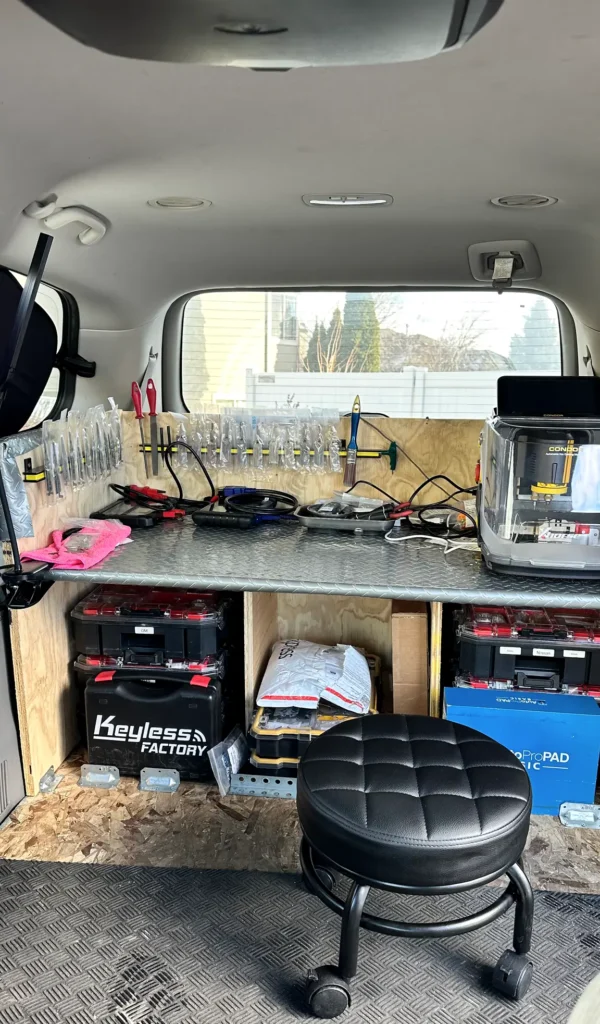
Mobile Lock Service
Yale Assure in Fort Lauderdale, FL
Call (754) 342-6282 for Yale Assure service in Fort Lauderdale. We come to you to install, repair, rekey, or troubleshoot your lock at the door.
- Open 24 hours a day, 7 days a week
- Typical arrival: 15–30 minutes
- Licensed and insured
- At least a 6-month warranty on parts and labor
Get a fast quote
How Yale Assure Uses Codes to Secure Your Door
Yale Assure is a family of electronic door locks. Depending on the model, you enter a code on a keypad or touchscreen, and the lock’s motor moves the deadbolt. Features differ across models, so check the product label or manual before ordering parts or setting up connected features.
The lock still depends on a well-fitting door and a bolt that can move freely into the frame. A dragging or misaligned door can make the motor strain or keep the bolt from extending. We provide Yale locksmith service at your property, including installation and troubleshooting. If you’re comparing lock styles, our Yale deadbolt page covers another option.
Yale Assure Problems That Can Interrupt Access
The keypad or touchscreen does not respond
Weak or depleted batteries can interrupt keypad operation. Check the battery compartment and use the type specified for your exact model; if fresh batteries do not restore normal operation, the issue may need hands-on diagnosis.
The bolt struggles or stops partway
A bolt that rubs against the strike plate may not extend smoothly, even when the code is correct. Door sag, seasonal movement, or a shifted strike can affect alignment, so the door and frame should be checked along with the lock.
A code is rejected
A mistyped code, an incomplete setup, or a change made in the wrong programming mode can prevent entry. Check the owner’s instructions for your model and avoid repeated guesses that could trigger a lockout feature.
The lock behaves differently after a reset
A reset can erase stored settings, including user codes or connected-device setup, depending on the model. Confirm you have the instructions and the information needed to set it up again before resetting.
Need help now? (754) 342-6282
Three Checks Before Calling About Yale Assure
- Check the batteries — Look for a low-battery warning or other change in the lock’s normal response. Replace the batteries with the type listed in your model’s instructions, and make sure they are seated correctly.
- Try only a code you know — Enter a code you already use, carefully and once. If it does not work, pause rather than cycling through guesses; note any lights or sounds, since they can help identify whether the issue is the code or the lock’s response.
- Check the door’s alignment safely — With the door open, test the lock using its normal controls and watch whether the bolt moves freely. If it binds with the door closed, the frame or strike may be out of alignment and need adjustment.
When Yale Assure Fits Your Fort Lauderdale Door
A good fit for code-based entry
Yale Assure can suit owners who want to use a code instead of handing out a traditional house key. The available features depend on the particular model, so identify it before planning setup.
A good fit when the existing lock needs service
We can assess whether installation, repair, or a Yale Assure rekey is the right service for your lock and door. For related door-lock options, see our rekeying service or Yale Real Living page.
Consider another lock if the door needs repair first
A smart deadbolt cannot correct a warped door, loose frame, or bolt path that does not line up. If the door itself is damaged or the bolt cannot move freely, address that fit problem before choosing a replacement lock.
Need help now? (754) 342-6282
Frequently asked questions
What should I do if my Yale Assure stops responding?
Check the batteries and replace them with the type specified for your model. If the keypad or touchscreen still does not respond, or the bolt binds, stop repeated attempts and call us to inspect the lock and door at your property.
How long do Yale Assure batteries last?
Battery life varies with the model, battery type, how often the lock is used, and operating conditions. Replace batteries when the lock indicates they are low, and follow the model’s instructions rather than relying on a fixed replacement interval.
Can I add a user or guest code to Yale Assure?
Many Yale Assure models support additional user codes, but the number of codes and setup process vary. Use the owner or administrator instructions for your exact model, and share a code only with someone you intend to give access.
How do I change a Yale Assure code I already know?
Use the lock’s owner instructions to change or remove the code through its normal programming process. Keep the door open while testing the new code so you can confirm it works before relying on it for entry.
Will Yale Assure fit my existing door?
Fit depends on the exact Assure model and your door’s preparation, thickness, and deadbolt alignment. We can check the existing door and lock before Yale Assure installation, so the replacement matches the opening and the bolt moves freely.
Get Yale Assure Help at Your Door
Call (754) 342-6282 for mobile Yale Assure service in Fort Lauderdale. We’re open 24/7 and come to you.