
Smart Lock Service
Yale Assure Lock 2 Installation & Help in Fort Lauderdale, FL
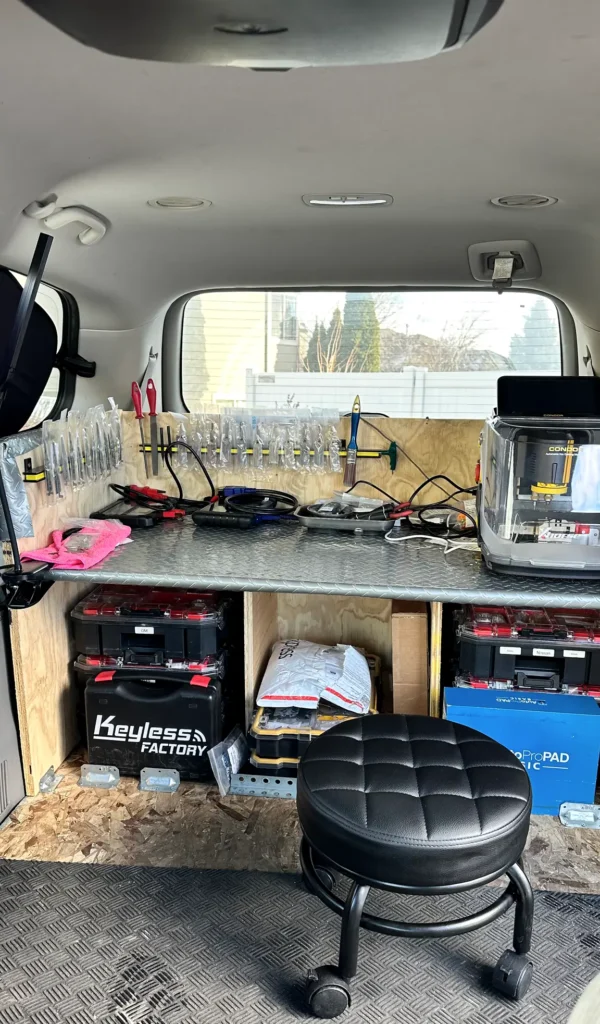
For Yale Assure Lock 2 installation in Fort Lauderdale, call us now; we come to you to install, troubleshoot, or service the lock. Tell us what it’s doing and whether you have the code or a key.
- Mobile service—we come to you
- Open 24 hours a day, 7 days a week
- Licensed and insured
Get a fast quote
How Yale Assure Lock 2 Installation Works
The Yale Assure Lock 2 is an electronic door lock that lets an authorized user unlock the door with a code. Features can vary by lock configuration, so we first identify the version you have and check how it is meant to operate. Some configurations may include a physical key; don’t assume yours does.
During installation, the lock, door edge, and strike plate need to line up so the bolt can move freely. A door that binds or a bolt that catches can cause unreliable locking even when the code is correct. We check the fit and operation, then help with the setup or repair your lock needs. For other Yale products, see our Yale locksmith service, or learn about the broader Assure range.
Three Checks Before Calling About Your Assure Lock 2
- Check the batteries — Look for a low-battery warning or other change in the lock’s usual response. If you know how to access the battery compartment safely, install fresh batteries following the product instructions and check whether the keypad responds.
- Try a code you know — Enter a user code you already know, carefully and as you normally do. If the keypad lights or responds but the bolt does not move, note that difference; it can help distinguish a code-entry issue from a door or bolt problem.
- Check the door’s fit — With the door open, check whether the bolt moves freely without rubbing. Then close the door and notice whether the bolt catches or the door needs pressure to latch. Don’t force the lock; a misaligned door or strike can strain its operation.
Need help now? (754) 342-6282
Simple Habits for a Reliable Assure Lock 2
- Replace batteries when the lock signals — Pay attention to low-battery alerts or changes in keypad response. Follow the product instructions for battery type and replacement, and avoid leaving depleted batteries in the lock.
- Keep the bolt path clear — Check that the bolt extends and retracts without rubbing the door frame. If alignment changes or the bolt starts catching, arrange an adjustment instead of repeatedly forcing the lock.
- Keep codes private — Share access codes only with people who need them. When someone no longer needs access, use the lock’s documented owner process to remove or change that code.
- Use the correct instructions for your version — Assure Lock 2 features and setup can differ by configuration. Keep the instructions for your specific lock available before changing settings or attempting a reset.
Assure Lock 2 Problems We Can Check at Your Door
Keypad does not respond
A blank or unresponsive keypad can point to depleted batteries or a power-related issue. We check the lock’s response and battery setup before determining whether it needs repair.
The code works, but the bolt catches
When the keypad accepts a code but the bolt struggles, door or strike alignment may be interfering with movement. We inspect the fit and test the bolt through its cycle.
A code no longer works
A code may have been changed, removed, or entered incorrectly. If you know the owner code, the lock’s documented setup process can guide you through managing user codes; we can help when setup or operation is still unclear.
You need a reset, repair, or rekey
A Yale Assure Lock 2 reset should follow instructions for your exact configuration, since a reset can affect settings or access codes. For a keyed version, ask about rekeying; we first check whether your lock has a key cylinder that can be rekeyed.
Need help now? (754) 342-6282
Frequently asked questions
What should I do if my Yale Assure Lock 2 stops responding?
Check for a low-battery warning and replace the batteries according to the instructions for your lock. If the keypad still does not respond, or it responds but the bolt will not move, call us to check the lock and door fit at your location.
How long do Yale Assure Lock 2 batteries last?
Battery life varies with the lock’s configuration and how often it is used, so there is no single duration that applies to every owner. Replace the batteries when the lock gives a low-battery warning, and follow the instructions for your specific version.
How do I set or change a code I already know?
Use the owner setup process in the instructions for your exact Assure Lock 2 configuration; the steps and available features can differ. Keep your existing owner code private, and contact us if the lock does not accept it or the setup process fails.
Can you help if I’m locked out with a Yale Assure Lock 2?
Yes. Call us and tell us whether the keypad responds and whether you have a key for your lock, if its configuration includes one. We provide mobile locksmith service in Fort Lauderdale and come to you.
What happens if the power or batteries run out?
The electronic functions may stop responding when the batteries are depleted. Whether you have another entry method depends on your lock’s configuration, so check its instructions; if you cannot get in, call us for service at your location.
Get Yale Assure Lock 2 Help at Your Door
Call Locksmith South Florida for mobile installation, troubleshooting, repair, or rekeying in Fort Lauderdale. We’re open 24/7.